Azure AD Connector - AD Configuration
The Azure AD Connector provides Single Sign On access for your users on Tradecloud.
Only the users you allow (using an AD conditional access policy) are synced to Tradecloud.
A new Active Directory user is automatically created in your Tradecloud company.
Configure Azure AD for authentication
Section titled “Configure Azure AD for authentication”To allow users to log in using a Azure AD account, you must register Tradecloud as an application in the Microsoft Azure portal.
To register your app with Azure AD, see Microsoft’s Quickstart: Register an application with the Microsoft identity platform.
During registration, configure the following settings:
| Option | Setting |
|---|---|
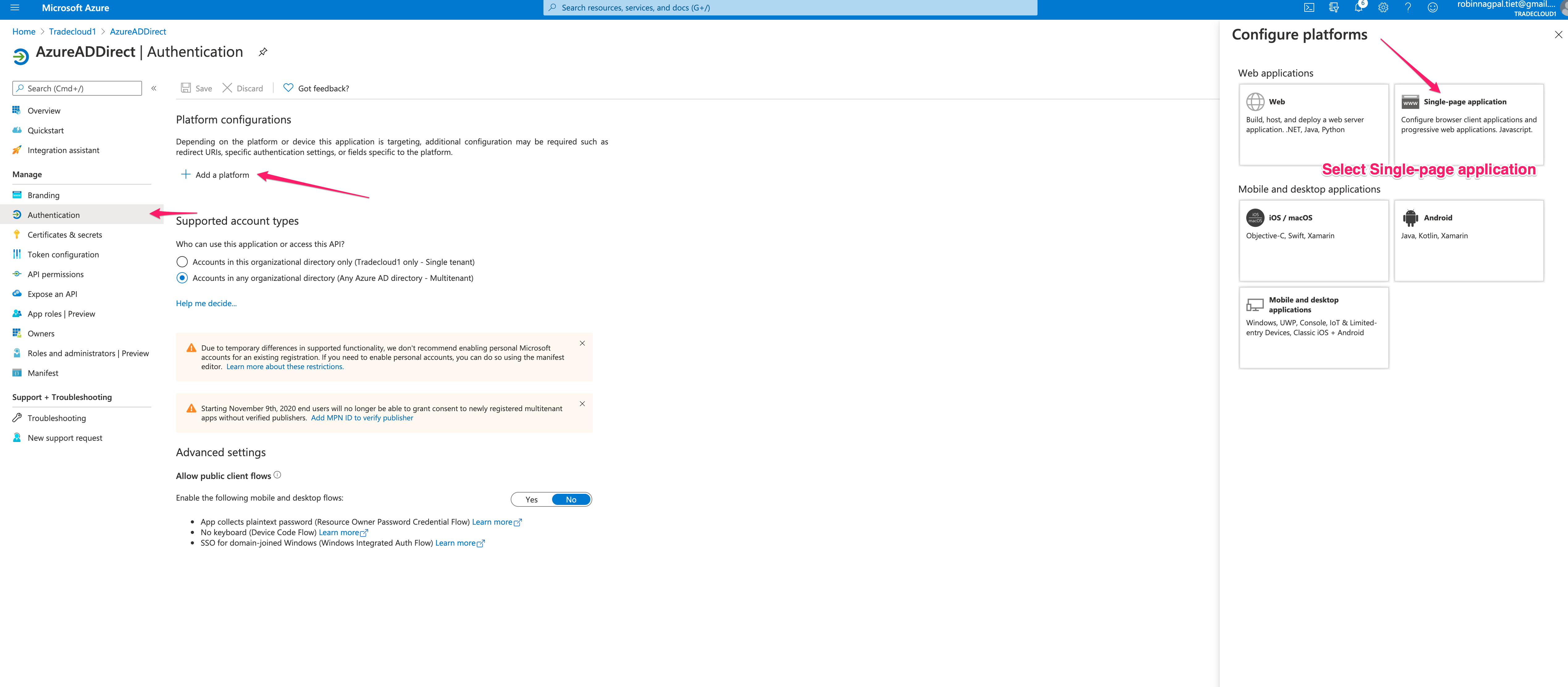
| Supported account types | To allow users from external organizations (like other Azure AD directories) choose the appropriate multitenant option. Multitenant options include the following: Accounts in any organizational directory (Any Azure AD directory - Multitenant). |
| Redirect URI | Select “Single-page application (SPA)” |
| Redirect URI | Enter your callback URLs: https://portal.tradecloud1.com/msal-callback/login |
After registration, optionally add a second URI for the acceptance test environment:
| Option | Setting |
|---|---|
| Redirect URI | https://portal.accp.tradecloud1.com/msal-callback/login |
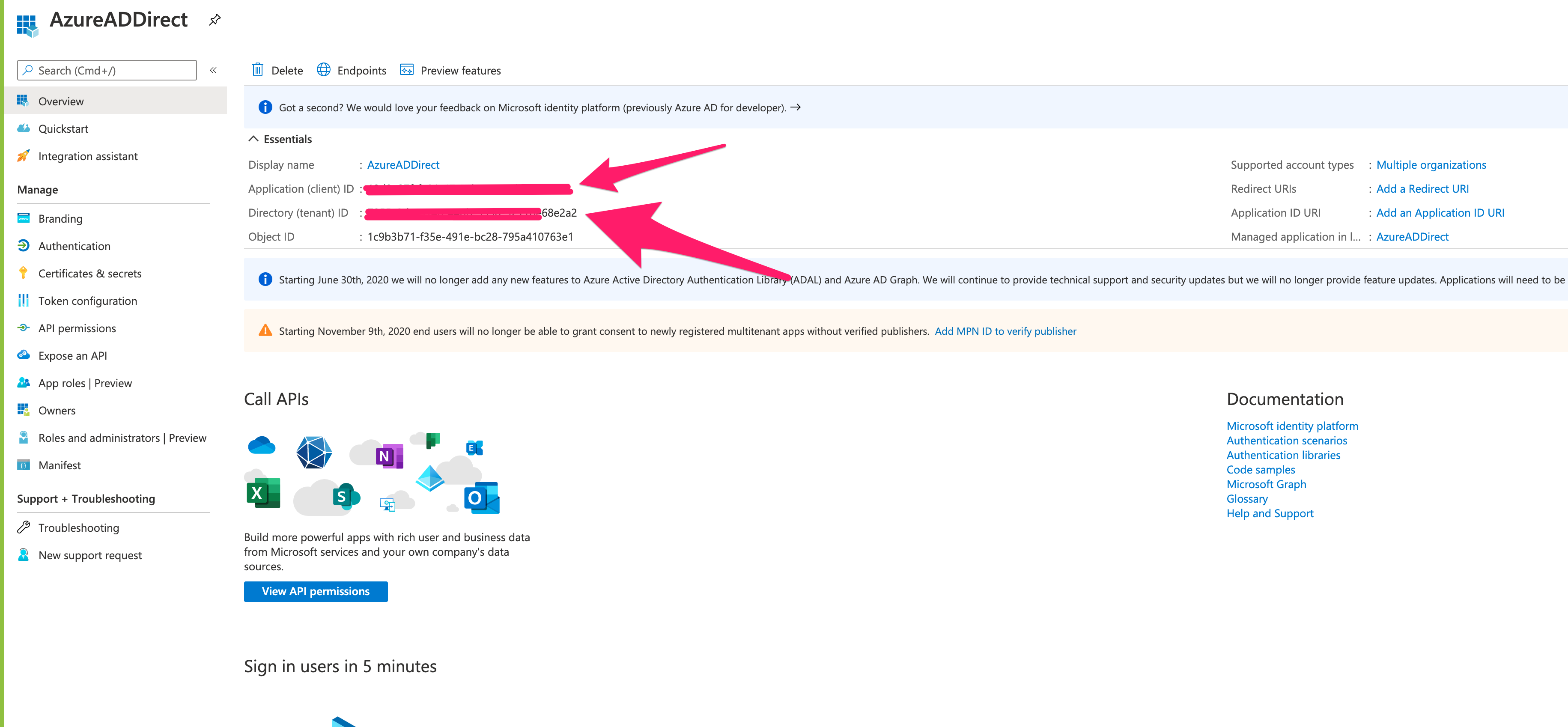
During the registration process, Microsoft generates an Application (client) ID; you can find this on the app’s Overview screen. Take note of this value.
Token configuration
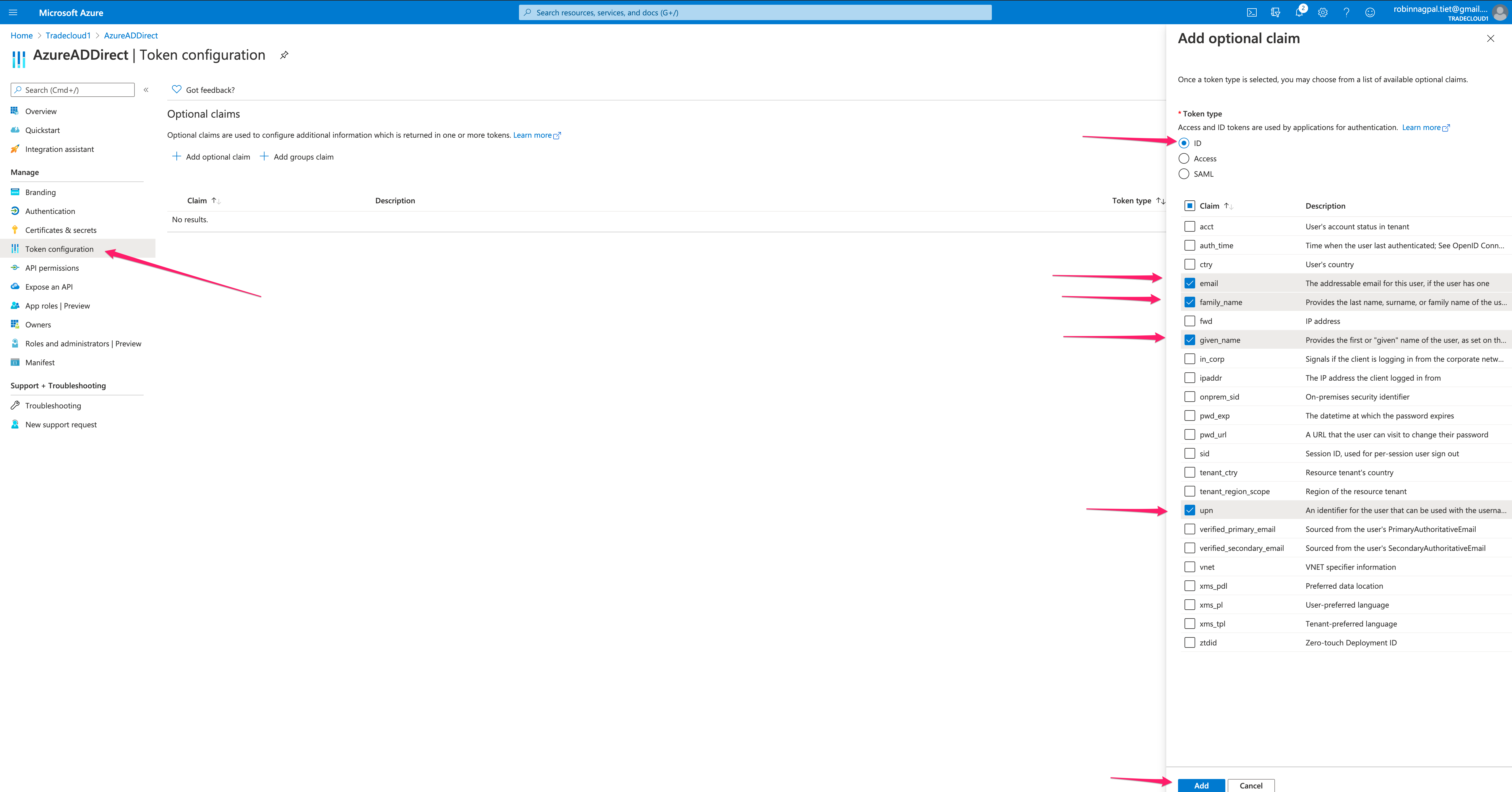
Section titled “Token configuration”Optional claims are used to configure additional information which is returned in the id_token.
Tradecloud needs email, family_name, given_name, and upn claims to be able to create a Tradecloud identity and user. These fields will be added to the id_token, which Tradecloud uses to create a Tradecloud identity and user.
While setting up your token configuration, add the following claims:
| Claim | Description | Token type |
|---|---|---|
| The addressable email for this user, if the user has one | ID | |
| family_name | Provides the last name, surname, or family name of the user as defined in the user object | ID |
| given_name | Provides the first or “given” name of the user, as set on the user object | ID |
| upn | An identifier for the user that can be used with the username_hint parameter; not a durable identifier for the user and should not be used to key data | ID |
Add permissions
Section titled “Add permissions”To add the email, family_name, given_name, and upn claims to the id_token, Azure AD requires OpenID delegated email and profile permissions. These fields will be added to the id_token, which Tradecloud uses to create an identity and user. Tradecloud will NOT call the Graph API.
To add permissions, see Microsoft’s Quickstart: Configure a client application to access web APIs - Add permissions to access web APIs.
You will need to configure OpenID permissions for the Microsoft Graph API.
While setting up your permissions, configure the following settings:
| Permission Section | Permission | Description |
|---|---|---|
| Delegated permissions | email profile | View users’ email address, View users’ basic profile |
Set Redirect URI
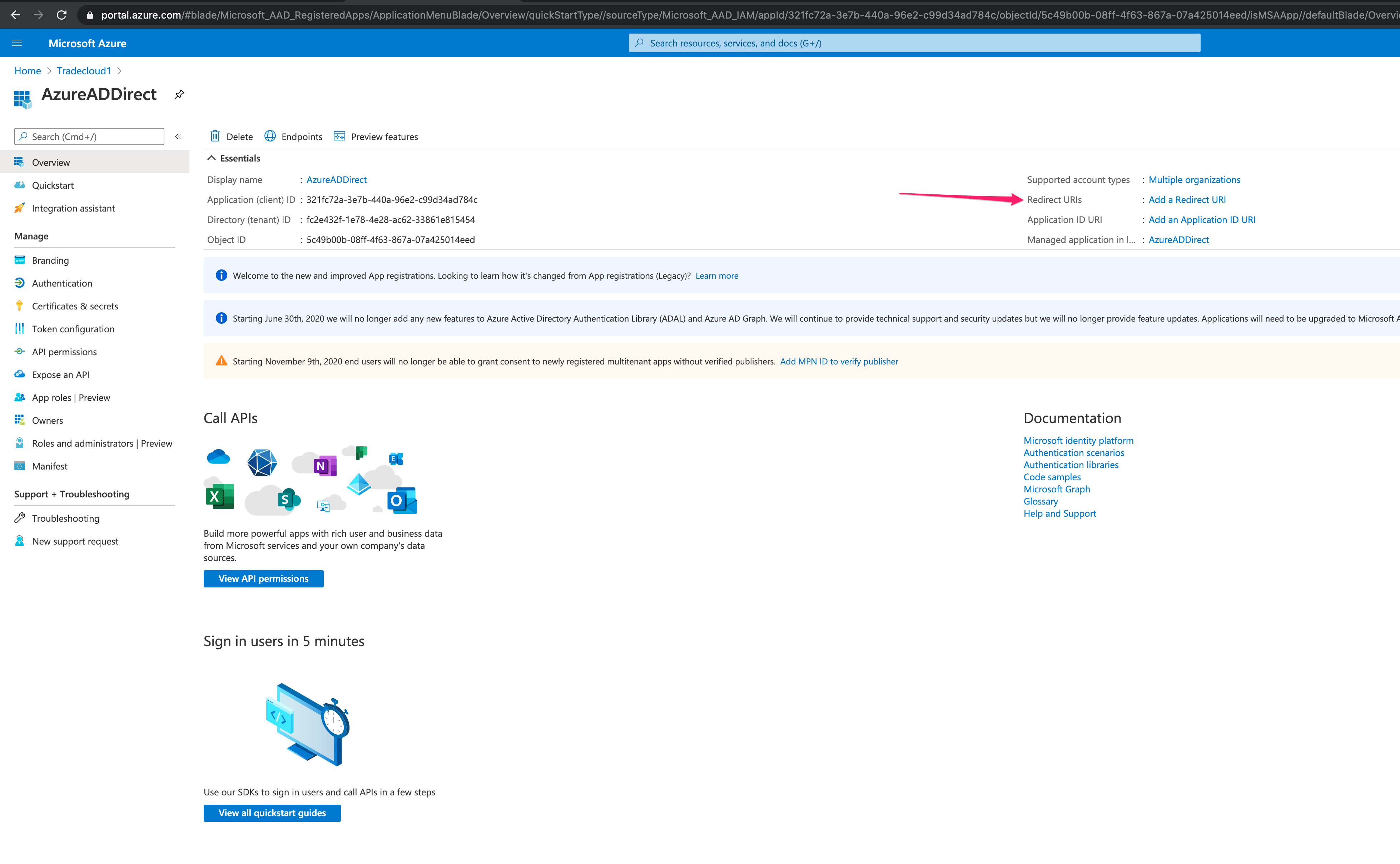
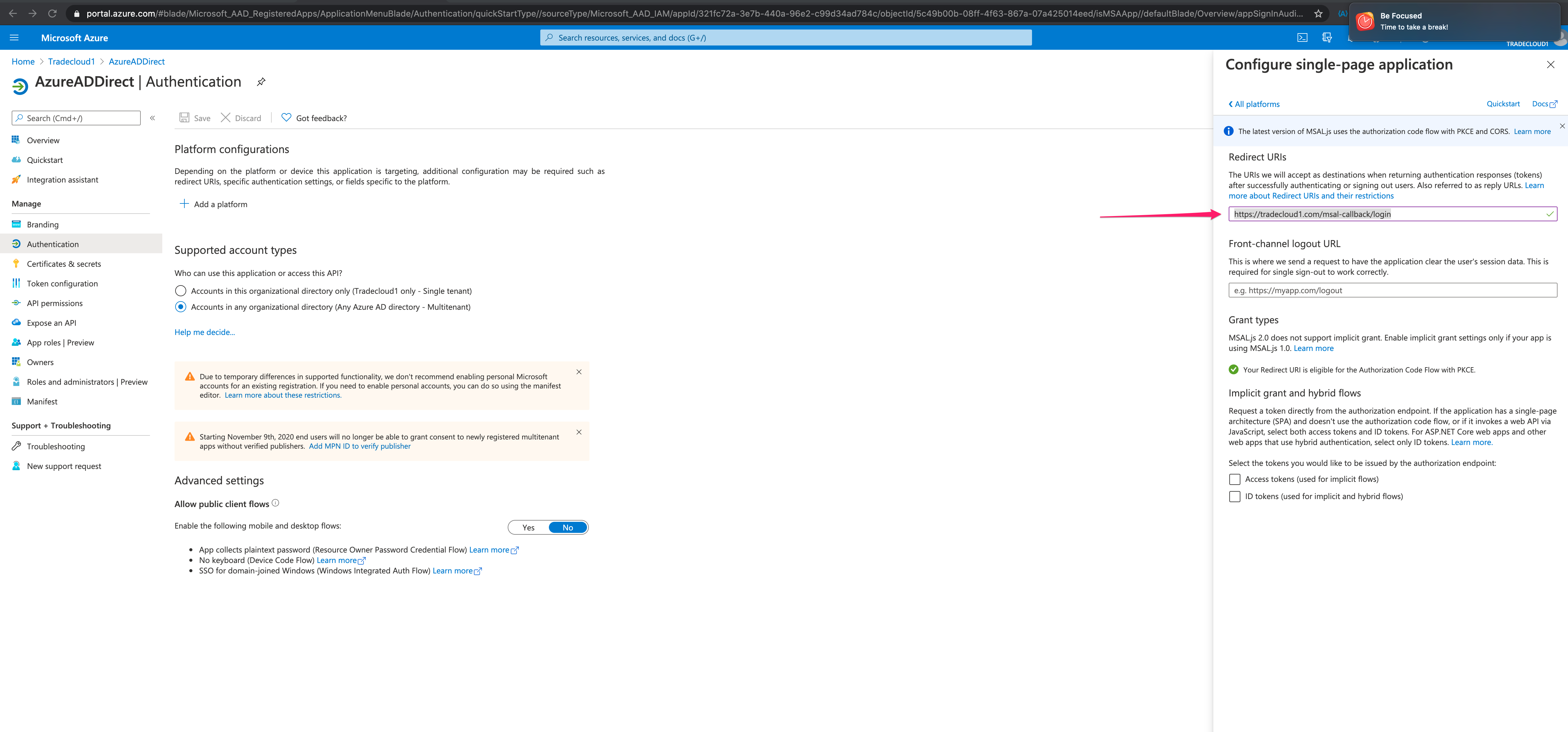
Section titled “Set Redirect URI”Select the option to set Redirect URI:
Select the platform as Single page application:
Set the Redirect URI value to https://portal.tradecloud1.com/msal-callback/login and save:
Send credentials to Tradecloud
Section titled “Send credentials to Tradecloud”Send client ID and tenant ID to Tradecloud so that one of the engineers can configure SSO for you.